SMS Consent Process
10DLC Compliance Documentation
Overview
Siren is an incident management and on-call alerting platform. Incident alerts are delivered via voice calls. Users may optionally opt-in to receive SMS notifications for on-call schedule reminders and other non-incident notifications. All SMS messaging requires explicit opt-in consent from users.
User Opt-In Flow
Users provide explicit consent for SMS notifications through two pathways:
1. Onboarding Flow (New Users)
During account setup, users are presented with a clear choice to add a phone number for voice call alerts and optional SMS notifications. The process includes:
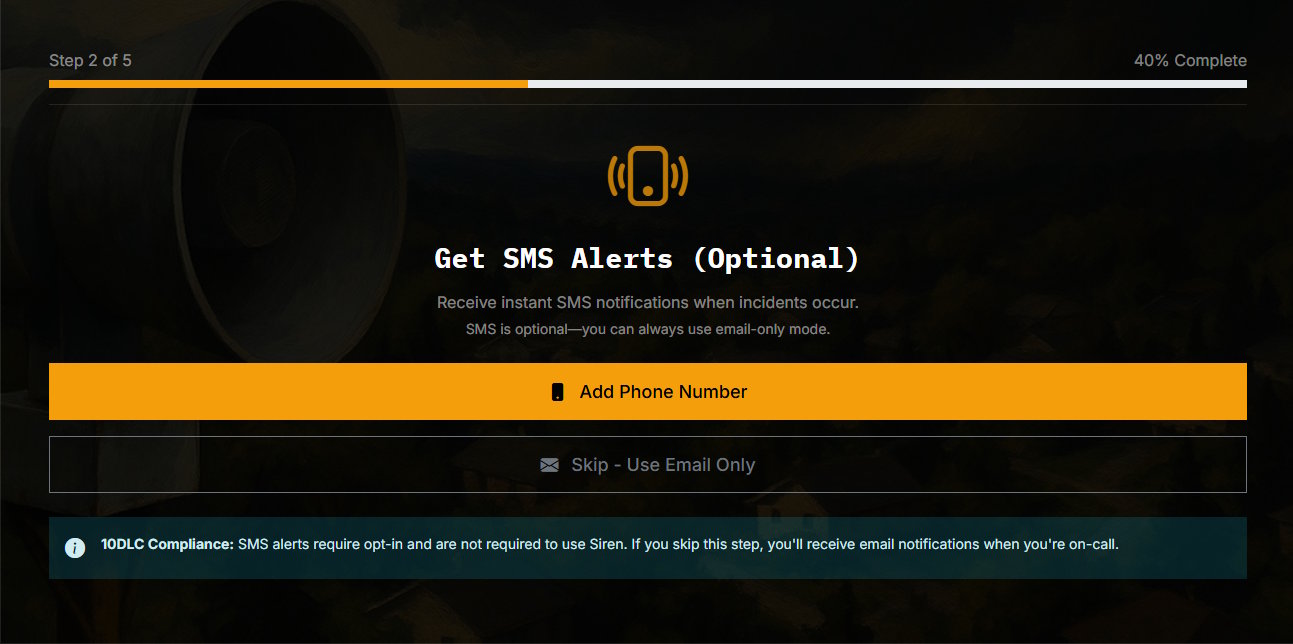
Step 1: Users choose to add phone number or skip (phone number is optional)
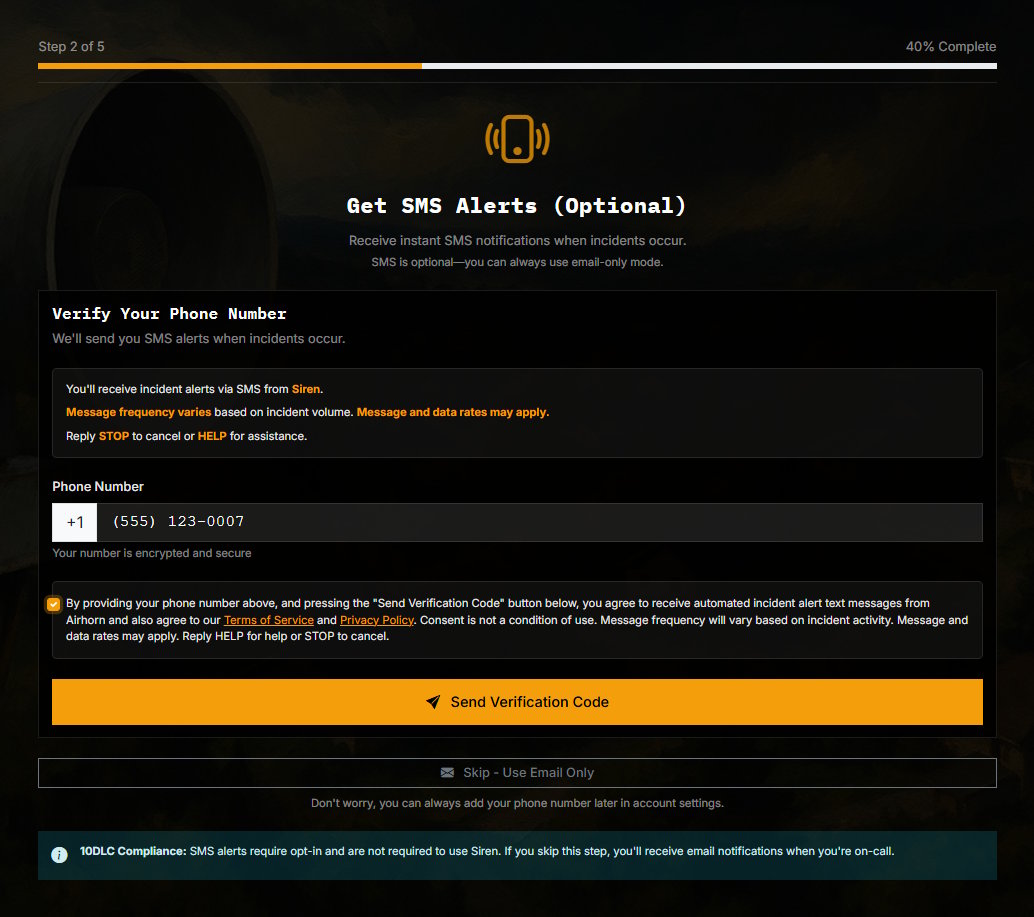
Step 2: Explicit consent checkbox with full disclosure
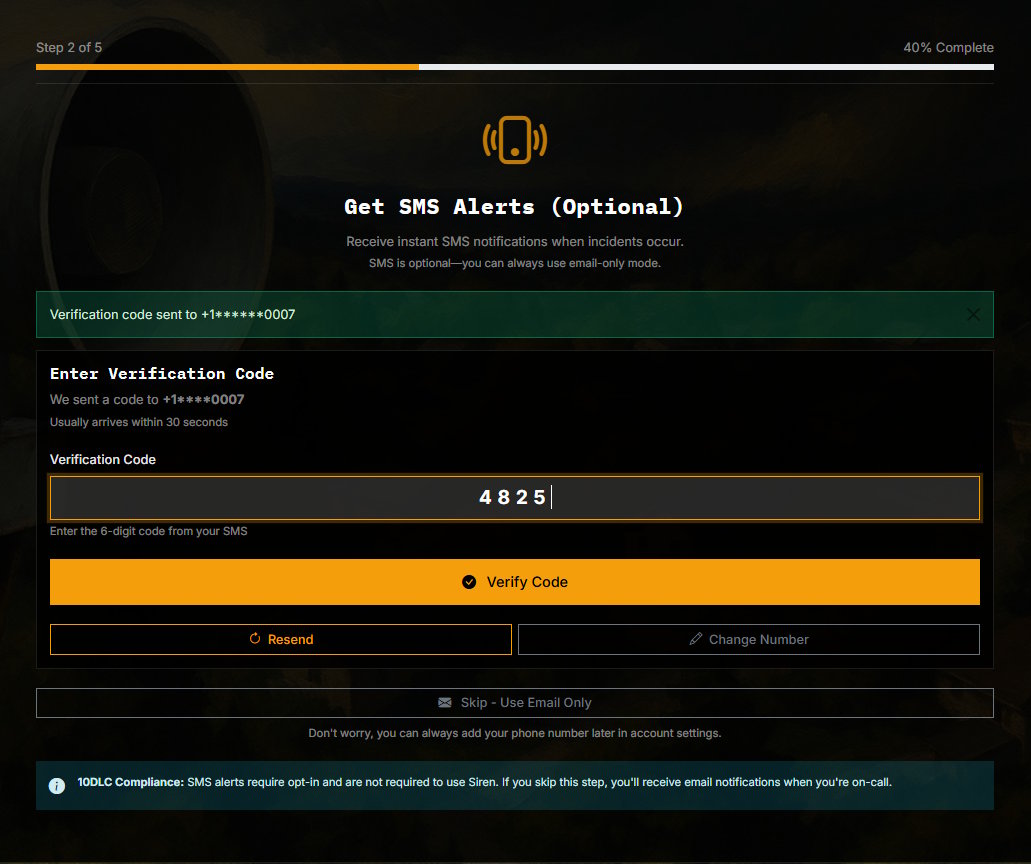
Step 3: SMS verification code sent to confirm number
2. Account Settings (Existing Users)
Users can add or remove their phone number at any time through account settings:
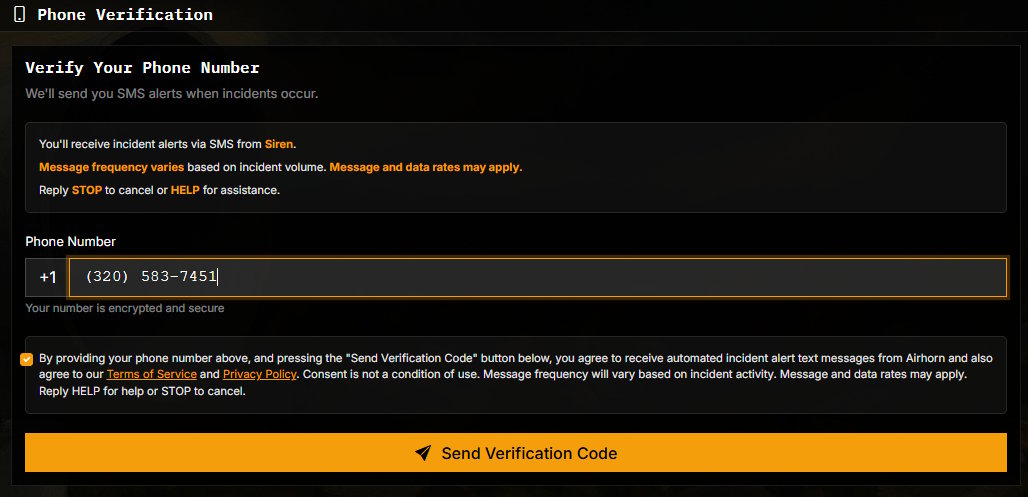
Settings: Same consent process available in user settings
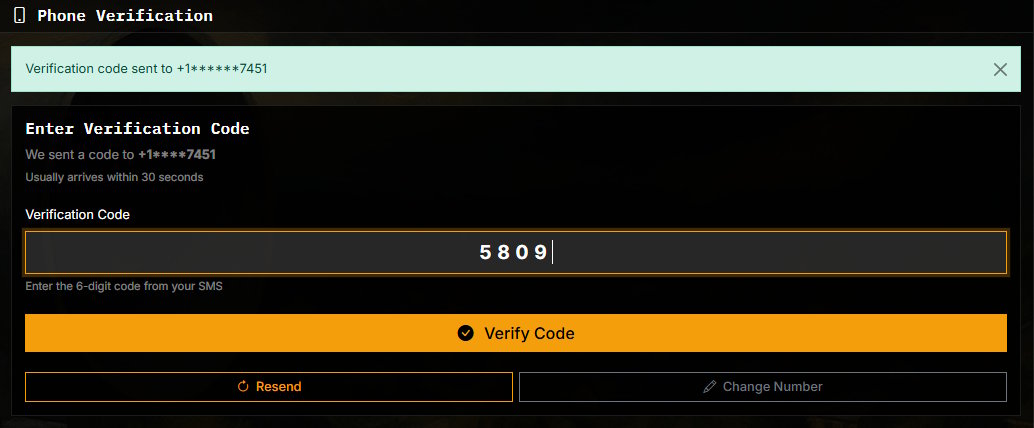
Verified: Users can remove their number at any time
Consent Language
Before enabling SMS notifications, users must check a consent box that clearly states:
"I agree to receive SMS messages from Siren related to my on-call schedule and other Siren events. Message and data rates may apply. Reply STOP to opt-out or HELP for assistance."
Additional context provided: "You'll receive SMS notifications from Siren for on-call schedule reminders and other non-incident notifications. Message and data rates may apply. Reply STOP to cancel or HELP for assistance."
Message Frequency
SMS messages are sent for on-call schedule reminders and non-incident notifications. Frequency varies based on:
- User's on-call schedule (weekly or daily rotations)
- Whether schedule reminder notifications are enabled
- Account and service-related updates
Typical usage: 1-5 messages per week, primarily for shift reminders.
Opt-Out Process
Users can opt-out of SMS notifications in two ways:
- Reply STOP: Users can reply "STOP" to any SMS message to immediately unsubscribe
- Remove in Settings: Users can remove their phone number from account settings at any time
Both methods immediately stop all SMS notifications. Users receive email notifications instead.
Use Case: Schedule Reminders and Notifications
SMS notifications are used for non-incident communications:
- On-call shift starting reminders
- Schedule change notifications
- Account and service updates
Note: Critical incident alerts are delivered via voice calls, not SMS. We never send marketing messages or promotions via SMS.
Privacy & Data Protection
All phone numbers are:
- Encrypted at rest in our database
- Used solely for incident notification delivery
- Never shared with third parties
- Deleted immediately upon user request
For questions about our SMS consent process, contact us at [email protected]